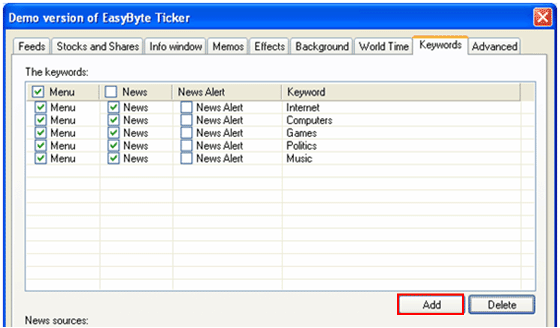
In order to add a new keyword, choose “Options” from the main menu and click on the “Keywords” tab. The “Keywords” page will be displayed.
Figure 87: Adding a new keyword (step 1/2)
Once inside the “Keywords” page, click on the “Add” button and the dialog window for defining the keyword will be displayed.
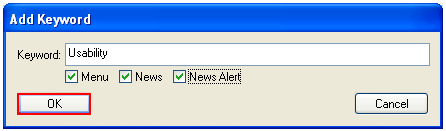
Figure 88: Adding a new keyword (step 2/2)
Enter the desired keyword (or multiple keywords e.g. “Search Engine Optimization”) and click on the “OK” button. The keyword will be added to the list.
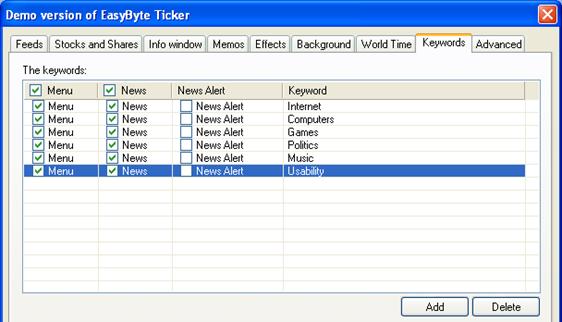
Figure 89: New keyword added to the list
You can repeat the same procedure for adding the desired number of keywords. Once you add the list, the articles based on the keywords will be displayed within the Ticker main window as well as the headlines menu.
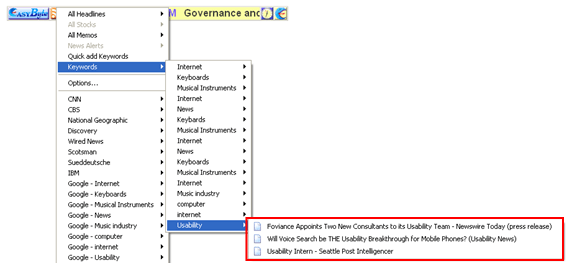
Figure 90: Keyword available within the menu