 and choose the desired option from the “Position” menu.
In order to change the position of the ticker, click on this icon and choose the desired option from the “Position” menu.
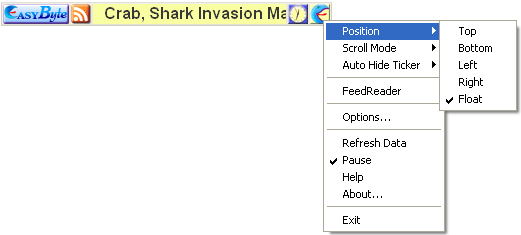
Figure 12: Changing the Ticker Position
The following parameters are available inside the position menu:
Top – option for positioning the ticker on the top of the screen (see section Top Position)
Bottom – option for positioning the ticker in the bottom of the screen (see section Bottom Position)
Left – option for positioning the ticker in the left part of the screen (see section Left Position)
Right – option for positioning the ticker in the right part of the screen (see section Right Position)
Float – option for making the ticker float (see section Making the Ticker Float)