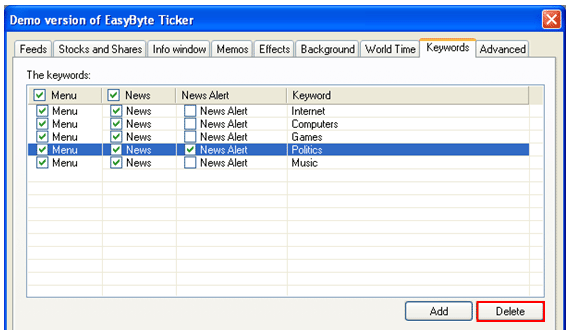
In order to delete a keyword, choose “Options” from the main menu and click on the “Keywords” tab. The “Keywords” page will be displayed.
Figure 92: Deleting a keyword
Once you are inside the “Keywords” page, select the desired keyword and click on the “Delete” button to delete it.