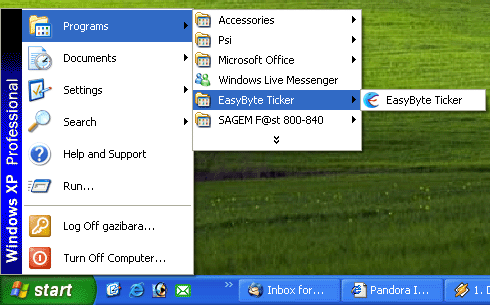
In order to start the “EasyByte News Ticker”, choose option “EasyByte News Ticker” from the Start menu.
Figure 4: Choosing option "EasyByte News Ticker" from the Start menu
The “EasyByte News Ticker” will be started.
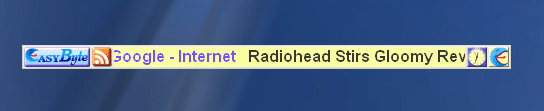
Figure 5: “EasyByte News Ticker” Interface
The following are the elements of the “EasyByte News Ticker” interface:
 -
option for starting the (see section Using
the Feed Reader)
-
option for starting the (see section Using
the Feed Reader)
 -
option for accessing the headlines menu (see section Using
the Headlines Menu)
-
option for accessing the headlines menu (see section Using
the Headlines Menu)
 -
monitor which displays news titles which are also links to complete news
-
monitor which displays news titles which are also links to complete news
 -
option for accessing the “EasyByte News Ticker” main menu (see section
Using the Main Menu)
-
option for accessing the “EasyByte News Ticker” main menu (see section
Using the Main Menu)
Note: you can also access the main menu by right clicking anywhere on the news ticker
 -
option for viewing the time in cities worldwide (note: see
section Managing World Time for further information on how
to manage the world time functionality)
-
option for viewing the time in cities worldwide (note: see
section Managing World Time for further information on how
to manage the world time functionality)