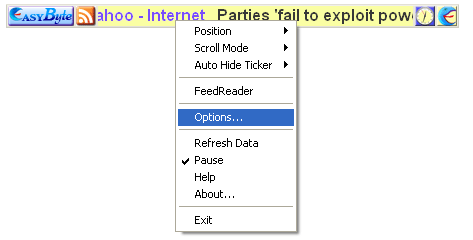
In order to start managing various ticker options, choose “Options” from the main menu.
Figure 35: Accessing program options
The following screen will be displayed.
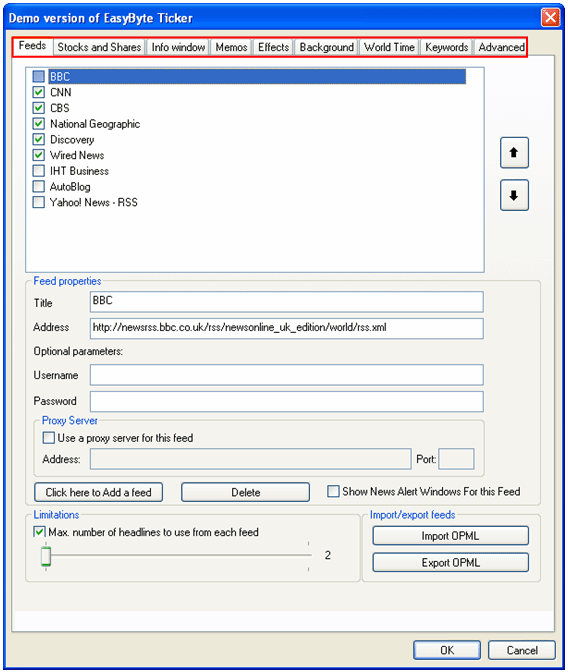
Figure 36: Managing Ticker Options
The following parameters are available inside this screen:
Feeds – option for managing the feeds (see section Managing the Feeds)
Stock and Shares – option for managing stock and shares (see section Managing Stock and Shares)
Info Window – option for managing the info window (see section Managing Info Window Settings)
Memos – option for managing memos (see section Managing Memos)
Effects – option for managing effects (see section Managing the Effects)
Background – option for managing background layout (see section Managing the layout of the Ticker background)
World Time – option for managing the world time (see section Managing World Time)
Keywords – option for defining the keywords the feeds will be based on (see section Managing the Keywords)
Advanced – option for managing the advanced settings (see section Managing Advanced Settings)