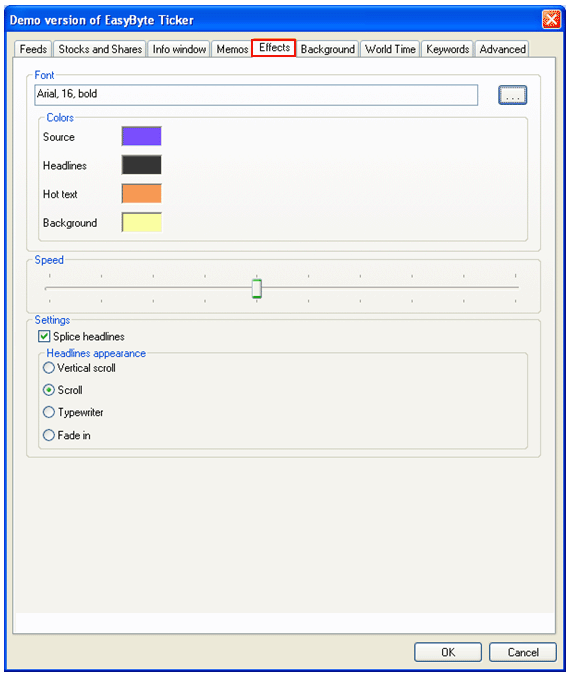
In order to start managing the effects, choose “Options” from the main menu (see Figure 35) and click on “Effects”.
Figure 71: Managing effects
The following parameters are available inside this screen:
Font – click
on this  icon
to choose the desired font type and size
icon
to choose the desired font type and size
Colors – click on the square next to desired label to set the desired color
Speed – move the slider to set the desired speed for the news items
Settings
Splice headlines – select this checkbox if you wish to splice the headlines
Headline Appearance – select the desired headlines appearance by selecting the radio button next to the desired label
After setting the desired parameters, click on the “OK” button to save the changes.
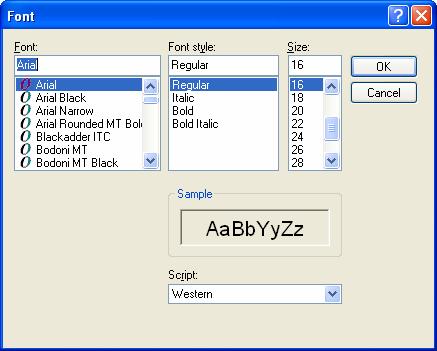
Figure 72: Choosing the desired font and size