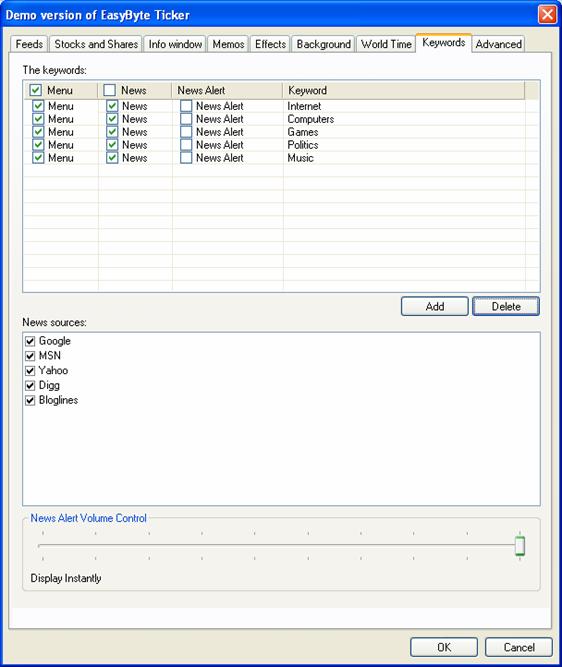
The “EasyByte” Ticker can collect relevant articles based on the keywords you provide. In order to start managing keywords, choose “Options” from the main menu (see Figure 35) and then click on “Keywords”.
Figure 86: Managing the keywords
The following information and options are available inside this screen:
The keywords – part of the screen for managing the keywords
Menu - this will result in all headlines that are downloaded, that have that specified keyword somewhere in the headline being added to the keywords submenu of the headlines menu
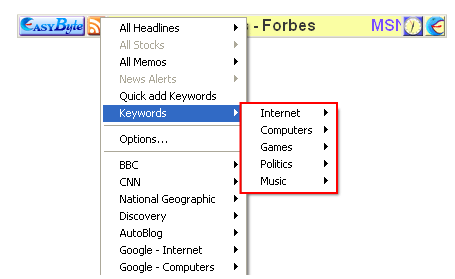
News – click on this checkbox to make the keyword available within the headlines menu, also the headlines will scroll along the ticker with this option selected
News Alert – option for displaying the news alert for the desired keyword
Keyword – field displaying currently defined keywords
Add – option for adding a new keyword (see section Adding a new keyword)
Delete – option for deleting the keyword (see section Deleting a keyword)
News sources – part of the screen displaying the available sources