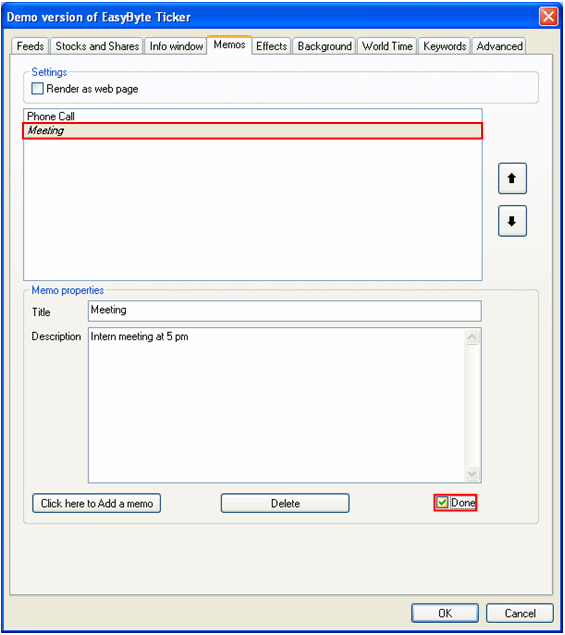
In order to mark a memo as done, select the desired memo in the list and select the “Done” checkbox.
Figure 66: Marking a memo as done (variant 1)
Note that the title of the completed task is displayed as italic when you select the “Done” checkbox which is a way to differentiate completed tasks from those which haven’t been completed yet.
You can also mark the desired memo as done by placing your mouse over the desired memo within the headlines menu and selecting the “done” checkbox.
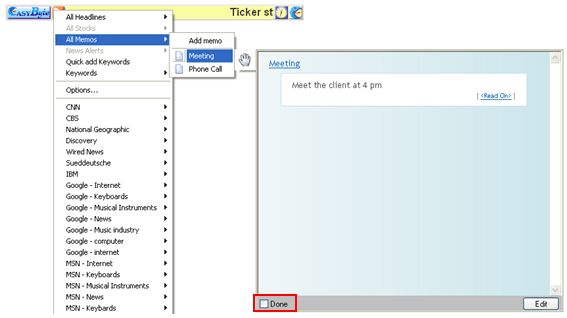
Figure 67: Marking a memo as done (variant 2)
Note: once a memo is marked as done it will be displayed as italic to help you differentiate completed tasks from those which haven’t been completed yet.