
In order to read the desired article, click on its title within the news monitor, or select the desired news item from the RSS feed menu (see section Using the Headlines Menu).
Figure 8: Reading the article (step 1/2)
The selected article will be displayed inside your default browser.
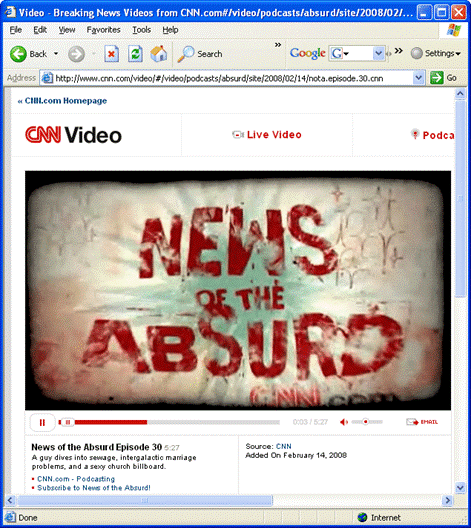
Figure 9: Reading the article (step 2/2)
You can read the news subheading by holding your mouse over the news title (note: the info window will be displayed – see section Managing Info Window Settings for further information on how to setup the info window).
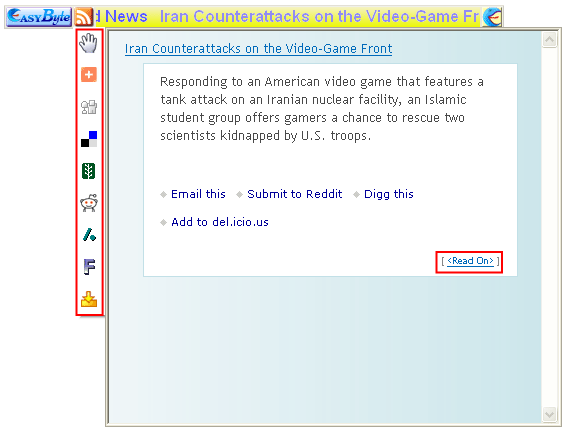
Figure 10: Viewing news item subtitle
The following options are available inside this screen:
<Read On> - click on the news title or “<Read on>” link in order to access the whole news item
 -
click on the hand icon and move the mouse to detach the preview window
from the ticker
-
click on the hand icon and move the mouse to detach the preview window
from the ticker
 -
this icon will be displayed once you detach the preview window from the
ticker and can be used to attach it back to the ticker
-
this icon will be displayed once you detach the preview window from the
ticker and can be used to attach it back to the ticker
 -
the menu on the left contains icons for adding the loaded article to one
of the social bookmarking services such as del.ici.ous (http://en.wikipedia.org/wiki/Social_bookmarking)
-
the menu on the left contains icons for adding the loaded article to one
of the social bookmarking services such as del.ici.ous (http://en.wikipedia.org/wiki/Social_bookmarking)
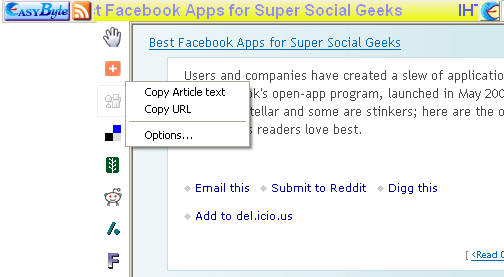
Figure 11: Accessing the auxiliary menu
Click anywhere on the left hand bar to access the auxiliary menu with the following options:
Copy Article Text – click on this option to copy the text of the article
Copy URL – click on this option to copy the URL (web address) of the original article
Options – this is a shortcut to accessing the program options (see section Managing Ticker Options)