 and choose option “Horizontal Scroll” from the “Scroll
Mode” menu.
and choose option “Horizontal Scroll” from the “Scroll
Mode” menu.In order to set the horizontal scroll mode, click on this icon and choose option “Horizontal Scroll” from the “Scroll
Mode” menu.
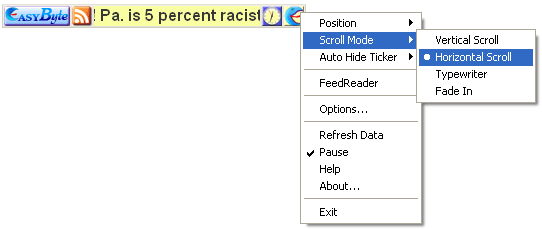
Figure 26: Setting the “Horizontal Scroll” mode
The screen shot below demonstrates the Ticker with the “Horizontal Scroll” mode on.

Figure 27: Example of the “Horizontal Scroll” mode