Ticker position – in order to change the position of the ticker you can place your mouse over it, hold the left mouse button and drag and drop to any of the available ticker positions (e.g. left part of the screen or even float if you drop it in the middle of the desktop) – see section Changing EasyByte News Ticker Position for further information about the available ticker positions
Moving through the headlines – in order to browse through the headlines, place your mouse over the headlines area, hold down the left mouse button and move the mouse pointer left or right
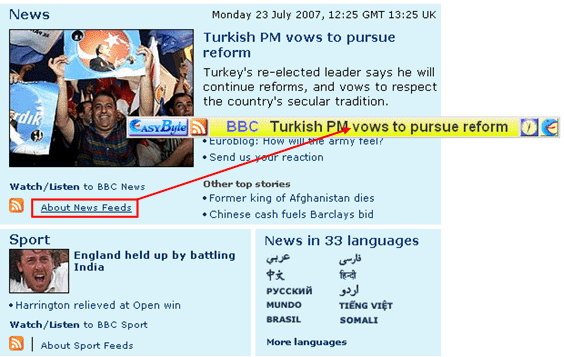
Adding a new feed – when a web page which has links to RSS feeds is loaded into your browser, you can start adding a new feed by simply dragging and dropping the desired link into the headlines area
Figure 95: Alternative way for adding a new feed
The dialog for defining a new feed with the link already filled out will be displayed.
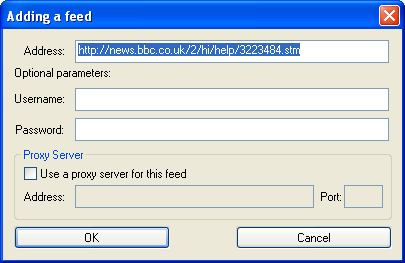
Figure 96: Dialog window for defining a new feed
Further information on how to define a new feed can be found in section Adding a new feed