 or right click anywhere inside the news
monitor.
or right click anywhere inside the news
monitor.In order to start using the “EasyByte News Ticker” main menu, click
on this icon or right click anywhere inside the news
monitor.
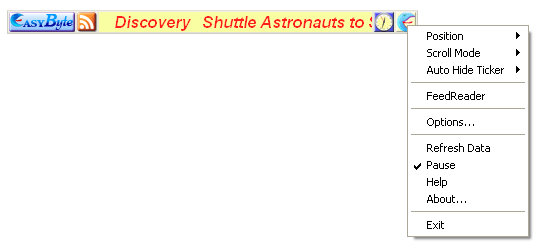
Figure 6: Opening the main menu
The following parameters are available inside the main menu:
Position – options for setting the desired ticker position (see section Changing EasyByte News Ticker Position)
Scroll Mode – options for setting the desired scrolling mode for the Ticker (see section Setting the ticker scrolling mode)
Auto Hide Ticker – options for auto hiding the ticker (see section Setting the EasyByte News Ticker Auto Hide Options)
FeedReader – option for opening the “FeedReader” (see section Using the Feed Reader)
Options – option for managing various ticker settings (see section Managing Ticker Options)
Refresh Data – option for refreshing the news (see section Refreshing Data – Re-downloading Feeds Data)
Pause – option for pausing the ticker
Help – option for accessing this guide
About – option for viewing the program version
Exit – option for exiting the application