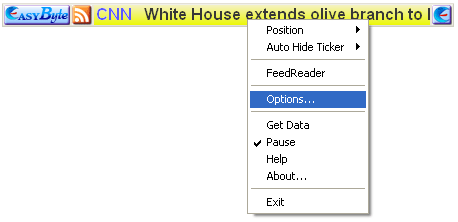
In order to add a feed to the Easy Byte News Ticker choose “Options” from the main menu.
Figure 78: Adding a feed to the EasyByte News Ticker (step 1/3)
The following screen will be displayed.
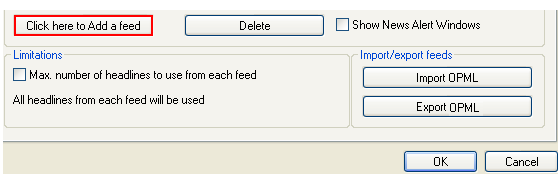
Figure 79: Adding a feed to the EasyByte News Ticker (step 2/3)
Click on the “Click here to Add a feed” button and the following screen will be displayed.
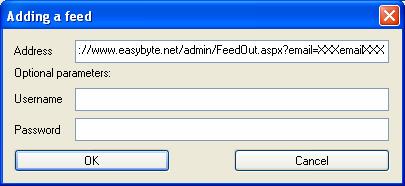
Figure 80: Adding a feed to the EasyByte News Ticker (step 3/3)
Enter the following URL inside the address field: http://www.easybyte.net/webadmin/FeedOut.aspx?email=XXXemailXXX and click on the “OK” button to complete the procedure of adding a new feed to the ticker.
Note: the “XXXemailXXX” part of the URL will be automatically replaced with the email you have entered into the Ticker.