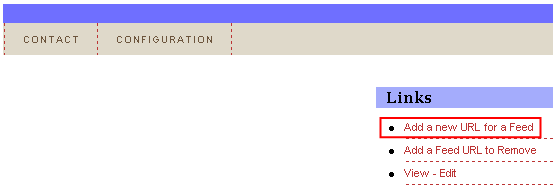
In order to add a new URL to a feed, choose option “Links” from the main menu and click on the “Add a new URL for a Feed” link.
Figure 52: Adding a new URL to a feed (step 1/2)
The following screen will be displayed.
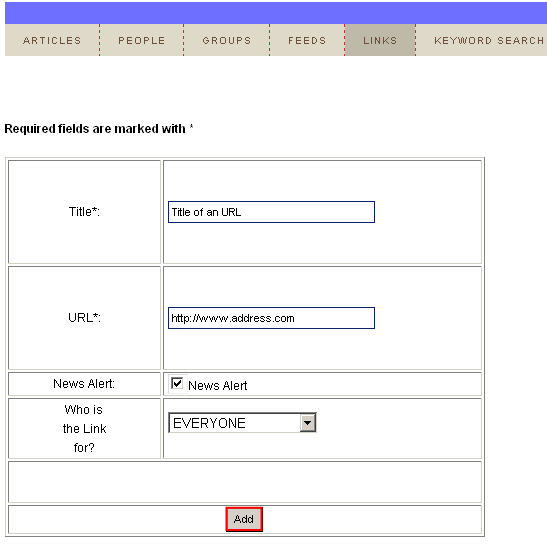
Figure 53: Adding a new URL to a feed (step 2/2)
The following parameters are available inside this screen:
Title – field for entering the URL title
URL – field for entering the desired feed URL
News Alert – select this checkbox if you wish to display news alert
Who is the link for – use this pull down menu to choose the users this link will be displayed to
After setting the desired parameters, click on the "Add” and the feed will be added.