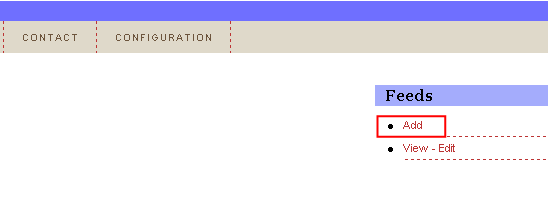
In order to add a new feed, choose option “Feeds” from the main menu and then click on the “Add” link.
Figure 41: Adding a new feed
The following screen will be displayed (note: the screenshot is presented with 2 screenshots).
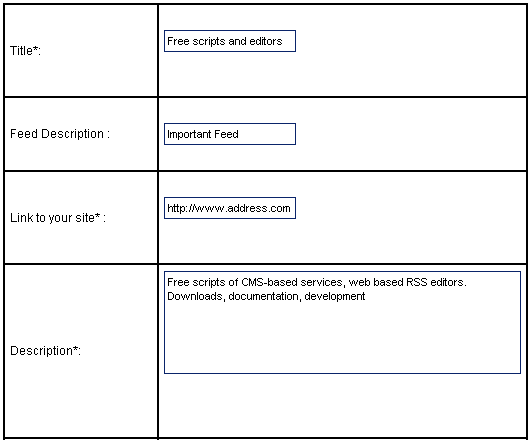
Figure 42: Adding a new feed (screenshot 1/2)
The following parameters are available inside the first part of the screen:
Title – input field for entering the feed title
Feed Description – input field for entering the feed description
Link to your Site – input field for entering the link back to your site
Description – text area for entering the site description
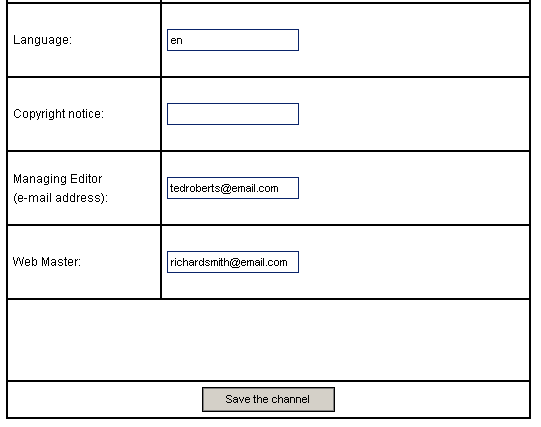
Figure 43: Adding a new feed (screenshot 2/2)
The following parameters are available inside the second part of the screen:
Language – input field for entering information about the site language
Copyright notice – input field for defining the copyright notice
Managing Editor – input field for entering the email address of the managing director
Web Master – input field for entering webmaster’s email address
After setting the desired parameters, click on the “Save the channel” and the page will be refreshed containing information about the successfully added feed.
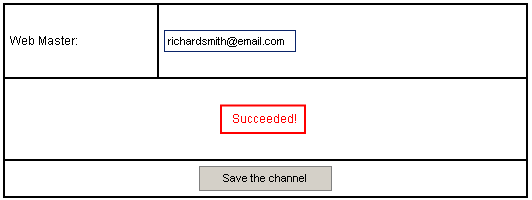
Figure 44: Feed successfully added