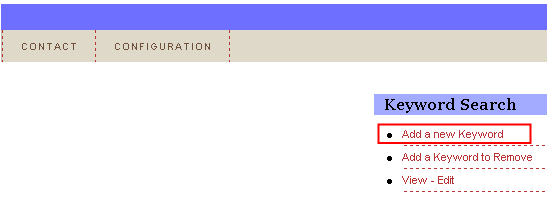
In order to add a new keyword, choose option “Keyword Search” from the main menu and click on the “Add a new Keyword” link within the “Keyword Search” menu.
Figure 63: Adding a new keyword (step 1/3)
The following screen will be displayed.
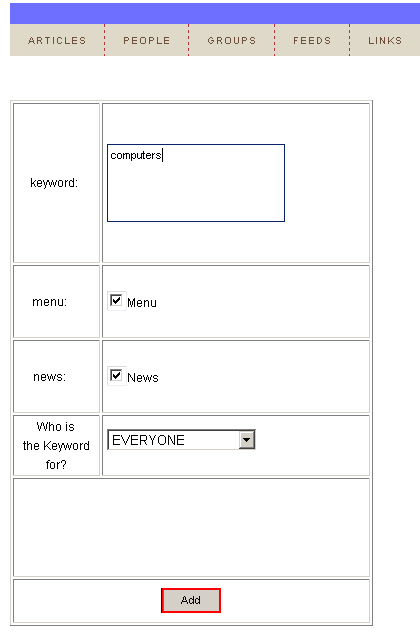
Figure 64: Adding a new keyword (step 2/3)
The following options and parameters are available inside this screen.
Keyword – input field for entering the keyword
Menu – select this checkbox to display the keyword within the menu
News – determines if the results from the searches for this keyword shall be scrolled along on the Ticker
Who is the keyword for – select the users this keyword will be displayed to (see section Defining who the link is for)
After setting the desired parameters, click on the “Add” button and the keyword will be added. The screen will be refreshed containing the “Successfully Added!” confirmation.
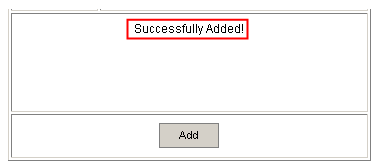
Figure 65: Adding a new keyword (step 3/3)