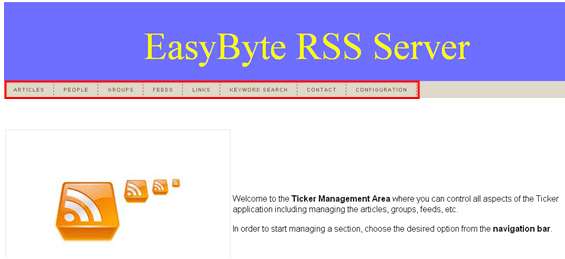
This section of the document will outline all elements of the “EasyByte Ticker – Web Administration” interface.
Figure 1: EasyByte Ticker Web Administration Interface
Main Navigation - the following parameters are available inside the main navigation:
Articles – option for managing articles (see section Managing Articles)
People – option for managing people (see section Managing People)
Groups – option for managing groups (see section Managing Groups)
Feeds – option for managing feeds (see section Managing the Feeds)
Links – option for managing links (see section Managing the links)
Keyword Search – option for performing the keyword search (see section Managing the Keywords)
Contact – the page displaying content as defined within the “Configuration” section (see section Managing Web Admin Configuration)
Configuration – option for integrating “Web Admin” area with Corporate Active Directory (see section Adding a feed to the EasyByte News Ticker)
Secondary navigation – the secondary navigation appears on the right side once you have chosen the desired primary option and contains further options for managing the application (e.g. adding or editing articles)