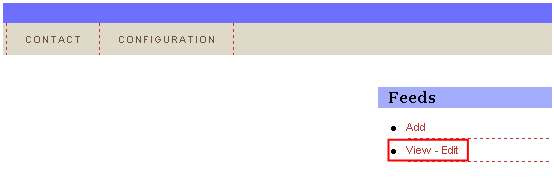
In order to add a new feed choose option “Feeds” from the main menu and then click on the “View - Edit” link.
Figure 45: Editing a feed (step 1/3)
The following screen will be displayed.
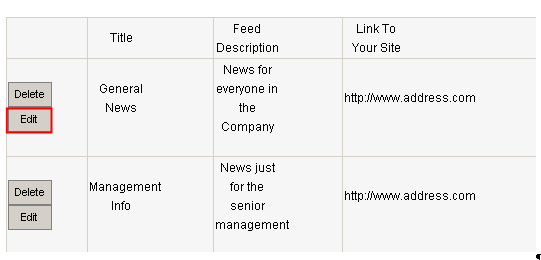
Figure 46: Editing a feed (step 2/3)
Click on the “Edit” button next to the desired feed and the following screen will be displayed.
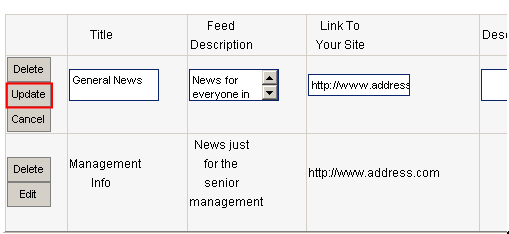
Figure 47: Editing a feed (step 3/3)
Change the desired feed parameters inside this screen and click on the “Update” button to save the changes.
Note: further information about the feed parameters can be found in section Adding a new feed