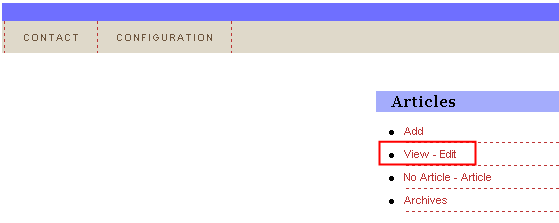
In order to edit an article choose option “Articles” from the main menu and then click on the “View - Edit” link.
Figure 7: Editing an article (step 1/3)
The following screen will be displayed.
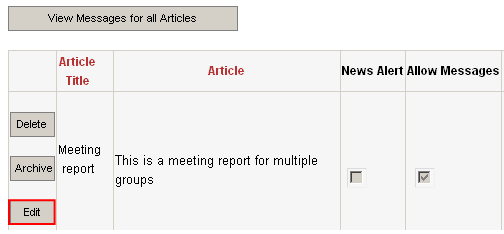
Figure 8: Editing an article (step 2/3)
Click on the “Edit” button next to the article you wish to edit and the following screen will be displayed.
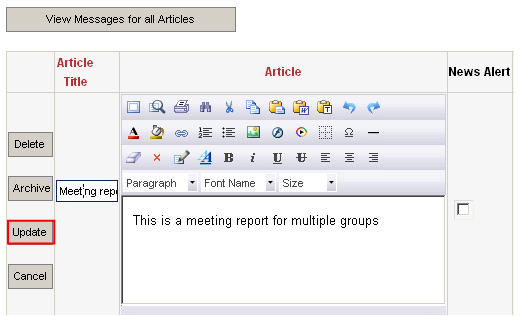
Figure 9: Editing an article (step 3/3)
Change the desired parameters for the article and click on the “Update” button in order to save the changes.
Note:
further information about the article parameters can be found in section Adding a new article
this section also gives you the ability to archive an article i.e. move the article to the archive so you can access it at a later date and manage it if needed; this is used in case you are not certain it is safe to delete the article, but still wish to remove it from the program so it does not get displayed to the users (further information about the archive functionality is available in section Managing the Archive)